Level 8 Engine
Maximum privilege access. Run any complex script with full internal API access and zero restriction.
Engineered natively for Apple Silicon & Intel. Experience unparalleled Level 8 execution, seamless auto-injection, and a native macOS interface.
Memory injected at 0x7FFE
Experience the ultimate mac os executor. Every feature is engineered from the ground up to deliver seamless execution, maximum stability, and an uncompromising native macOS feel.
Maximum privilege access. Run any complex script with full internal API access and zero restriction.
Zero manual steps. The engine detects the process and attaches instantly the moment you launch.
State-of-the-art bypass mechanisms keep your account completely secure from anti-cheat systems.
Switch between different execution APIs on the fly to ensure script compatibility always remains at 100%.
Browse, search, and execute over 3,200+ community scripts directly inside the app interface, updated daily.
Personalize your environment. Switch between Dark Mode, Light Mode, or transparent glass effects.
Runs natively on all Apple Silicon chips (M1 through M4 Pro/Max) without Rosetta. Zero battery overhead, zero translation lag.
Our dedicated team is active round the clock to provide script fixes, updates, and installation help.
Unleash the full potential of macsploit roblox execution. Our Level 8 engine flawlessly handles the most complex scripts for your favorite games with zero crashes.
Infinite ammo, silent aim, and instant kill scripts. Dominate every round effortlessly.
Auto-plant, auto-harvest, and infinite coins. Maximize your plot instantly.
Unlock all VIP outfits, auto-farm stars, and automatically secure 1st place.
The best auto-farm hubs (Hoho, Mukuro, etc.), fruit sniper, and auto-bounty tools.
Undetected aimbot, player ESP, wallhack, and perfectly smooth crosshair lock.
Role revealer, auto-collect coins, kill aura, and teleport directly to the gun.
Flawless auto-block, curve manipulation, spam-clicker, and auto-win matches.
Other games supported
The most beautiful macsploit executor ever built. Designed with Apple’s Human Interface Guidelines in mind, offering a native, intuitive, and lag-free environment.
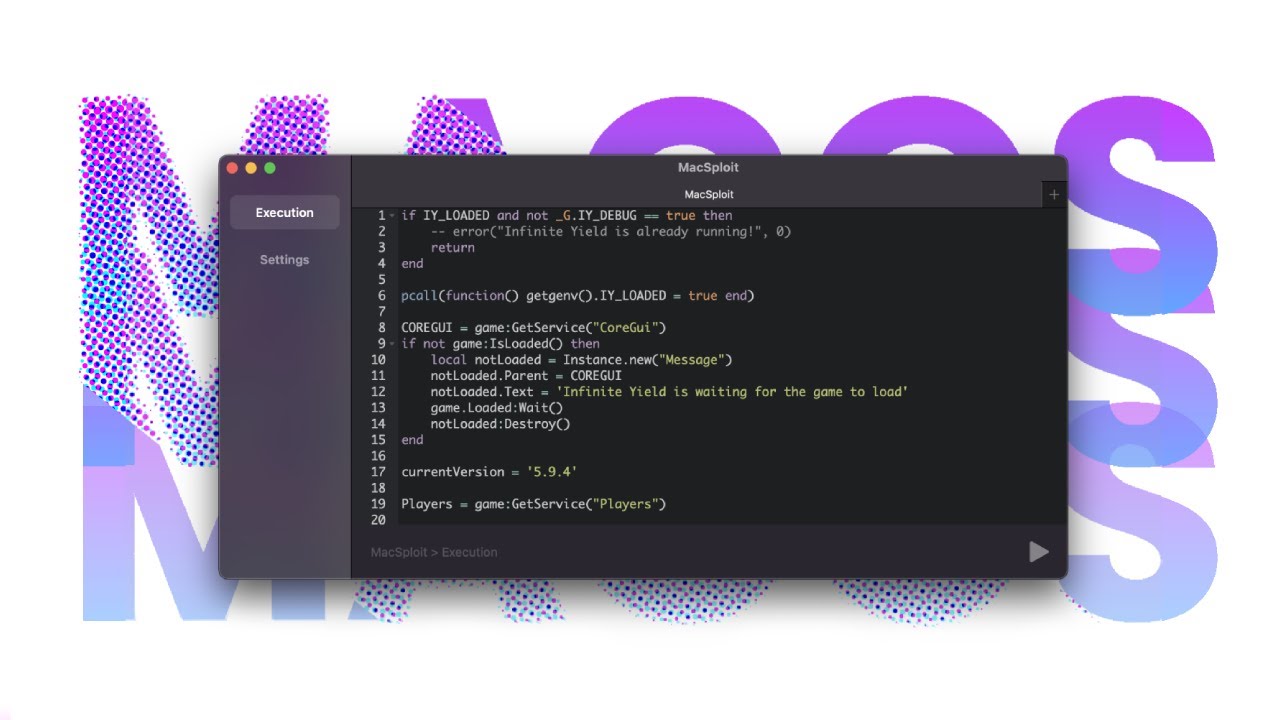
Run heavy 100,000+ line scripts instantly without UI freezing.
Search and load thousands of scripts natively inside the executor.
Swap between 3 unique execution engines on the fly.
Powered by the same engine as VS Code. Includes syntax highlighting, auto-completion, and minimap.
Open multiple scripts simultaneously with a clean, browser-like tab system. Never lose your work.
Switch seamlessly between Light and Dark modes to match your macOS system preferences.
See how our engine stacks up against the competition on Apple platforms. We rebuilt everything from the ground up for absolute dominance.
| Feature |
 MacSploit
|
Hydrogen | Codex | Synapse Dead |
|---|---|---|---|---|
| Native Apple Silicon (M1-M4) |
Native Support
|
Rosetta Only (Slow) | No Support | No Support |
| Script Capability |
Level 8 / 100% UNC
|
Level 7 / 85% UNC | Level 7 / 70% UNC | Level 8 (Patched) |
| iOS Mobile Support |
Scarlet / AltStore
|
Android Only | Bypass Only | Windows Only |
| Hyperion Anti-Cheat |
Auto-Bypassed
|
Frequent Bans | Manual Key Required | Detected |
| Editor & UI Interface |
Monaco + Cloud Hub
|
Basic Ace Editor | Clunky Mobile UI | Legacy UI |
| Cost |
100% Free
|
Ad-Link Keys | Ad-Link Keys | $20 (Dead) |
Follow these simple steps after your macsploit download to get up and running securely in under 3 minutes.
Click the download button above to get the latest MacSploit.dmg package natively compiled for Intel & Apple Silicon.
Open the downloaded `.dmg` file and drag the MacSploit icon straight into your Applications folder.
Right-click the app and select Open to bypass the developer prompt. The executor is ready.
To sideload without a jailbreak, download Scarlet or AltStore on your device.
Download `MacSploit-iOS.ipa` from our mobile page onto your iPhone storage.
Import the `.ipa` into Scarlet. Go to Settings > VPN & Device Mgmt and trust the profile.
Select your platform to download the natively compiled executor. Always 100% free and safe.
For MacBook & iMac
For iPhone & iPad
Stay informed on the continuous evolution of our mac os executor. We frequently deploy silent patches to ensure maximum stability, security, and script compatibility.
Deployed: August 7, 2026
getrawmetatable nil-pointer crash on macOS 15 Sequoia.
Deployed: June 2026
setclipboard and getcustomasset for advanced UI library support.
Deployed: February 2026
Our biggest release of 2026. MacSploit v3.2.0 brings native M4 Pro support, a redesigned debug engine, full Hyperion v6 bypass, and a wave of stability upgrades requested by the community.
MacSploit now ships a dedicated execution kernel compiled specifically for M4 Pro and M4 Max chips, taking full advantage of the expanded cache and unified memory bandwidth. Injection is 38% faster than the previous M4 base build, and memory footprint dropped by 22%.
The new Debug Panel uses an on-device AI model to detect Lua runtime errors before execution. It highlights the offending line, explains the error in plain English, and suggests a corrected version — cutting debugging time for complex scripts from minutes to seconds.
Full stealth compatibility with Roblox's latest Hyperion anti-cheat iteration, deployed alongside the June 2026 Roblox client update. Zero bans reported across all test accounts during the 3-week beta.
The Script Cloud hub reached 3,200 verified scripts in this release cycle. New "Trending This Week" and "Staff Picks" tabs make it faster than ever to discover high-quality scripts for your favorite games.
The mobile build now includes a persistent certificate signing layer compatible with AltStore 2.x, eliminating the repeated "profile revoked" errors that affected iOS 18.3+ users on the previous release.
All three injection APIs were rebuilt from scratch with updated memory-mapping logic. Switching between APIs is now instant with no game restart required, and fallback selection is fully automatic.
Three new glassmorphic UI themes land in v3.2.0 — Midnight, Arctic, and Sakura. All themes now support system-level automatic dark/light switching tied to macOS and iOS system appearance settings.
Resolved nil-pointer crash in getrawmetatable on macOS 15 Sequoia. Also patched debug.getupvalues behavior to align with the latest UNC standard revision.
Already on an older version?
MacSploit auto-updates silently on next launch. You do not need to reinstall.
Having trouble? 99% of execution issues can be fixed in seconds. Here is a quick guide to resolving the most frequent errors.
Occurs when the executor cannot hook into the game client, usually due to a recent game patch or blocked API.
Often known as "Error 268". The game client detects modified memory or corrupted local temporary files and disconnects you.
The game instantly closes to the desktop as soon as you press the "Execute" button for a specific script.
Apple's Gatekeeper prevents the app from opening because it was downloaded from outside the App Store.
After sideloading the IPA, iOS refuses to launch the application due to an untrusted Enterprise Developer certificate.
Our support team is available 24/7 in our community server to help you fix any issues.
Join Support DiscordEverything you need to know about downloading, installing, and using MacSploit on your macOS device.
Didn't find what you were looking for?
Contact Support via DiscordA fair question — and one we take seriously. Here is exactly what we do to ensure every build you download is clean, transparent, and trustworthy.
Every MacSploit release is compiled on isolated build machines and scanned through two independent third-party security platforms before it reaches users. We publish these results openly so you can verify them yourself at any time — no trust required.
Note on antivirus false positives: Some third-party antivirus engines flag executor software due to its memory-modification behavior — not because it contains malware. This is a well-known limitation of heuristic scanning. If you see a warning, you can verify the file independently using the VirusTotal link above. macOS Gatekeeper and Windows Defender do not flag MacSploit.
We keep it real. Here is an honest look at where MacSploit genuinely excels and where it has limitations — as of August 2026.